AutomationCommerce & analytics
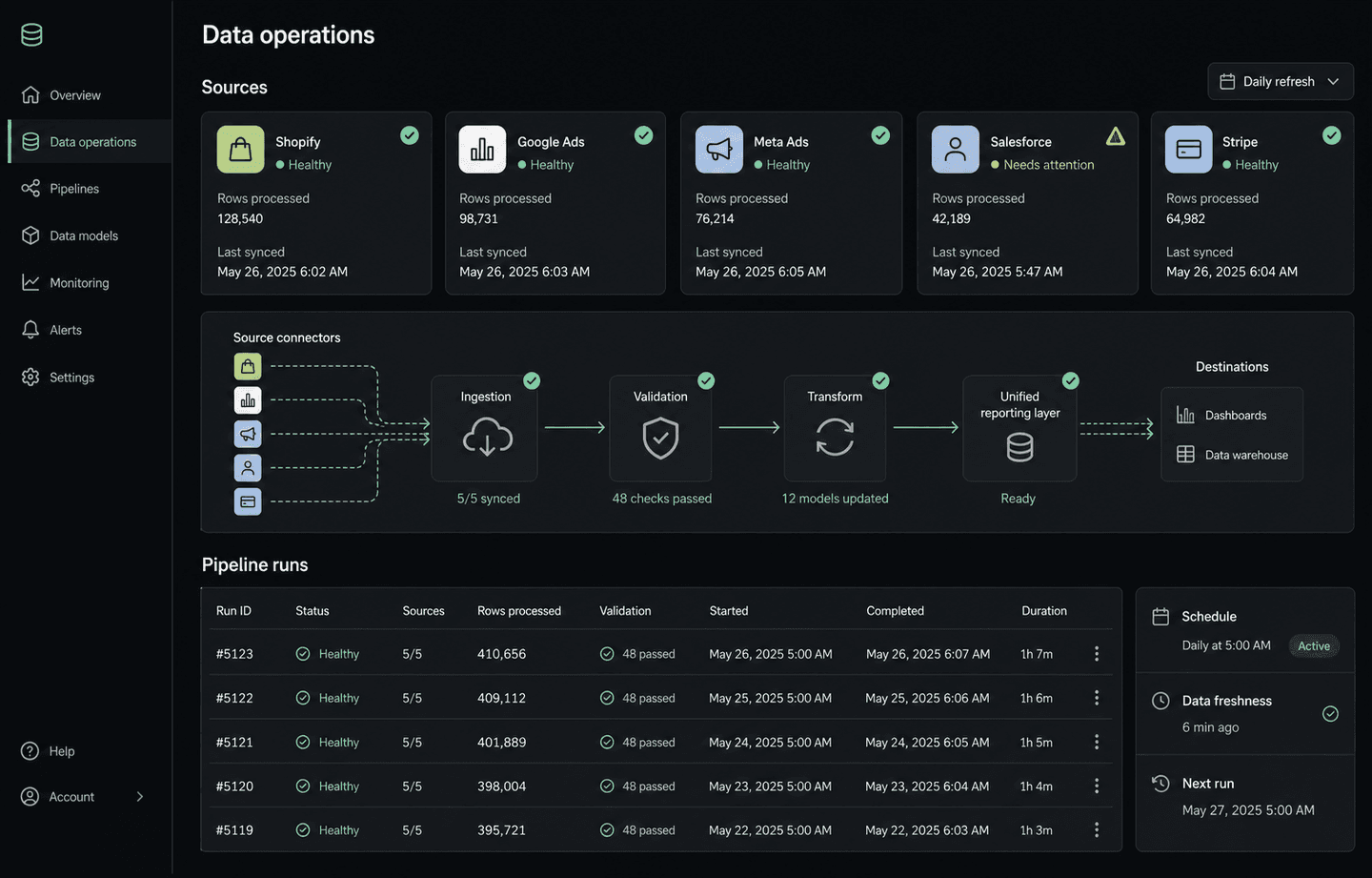
Marketing & Sales Data Pipelines
Sales, ads, and payment data from six platforms, unified into one reporting layer.
Outcome
Running in production for analytics teams.
Workflow & Reporting Automation
We connect your forms, spreadsheets, sales channels, and payment tools so data updates, reports, and follow-ups happen on schedule — without someone doing it by hand.
01 — Workflow & Reporting Automation
We connect your forms, spreadsheets, sales channels, and payment tools so data updates, reports, and follow-ups happen on schedule.
Less copy-paste. Faster reporting. Nothing forgotten.
Relevant delivery: production pipelines connecting Shopify, Google Ads, Meta Ads, Salesforce, and Stripe.
Show us a repetitive process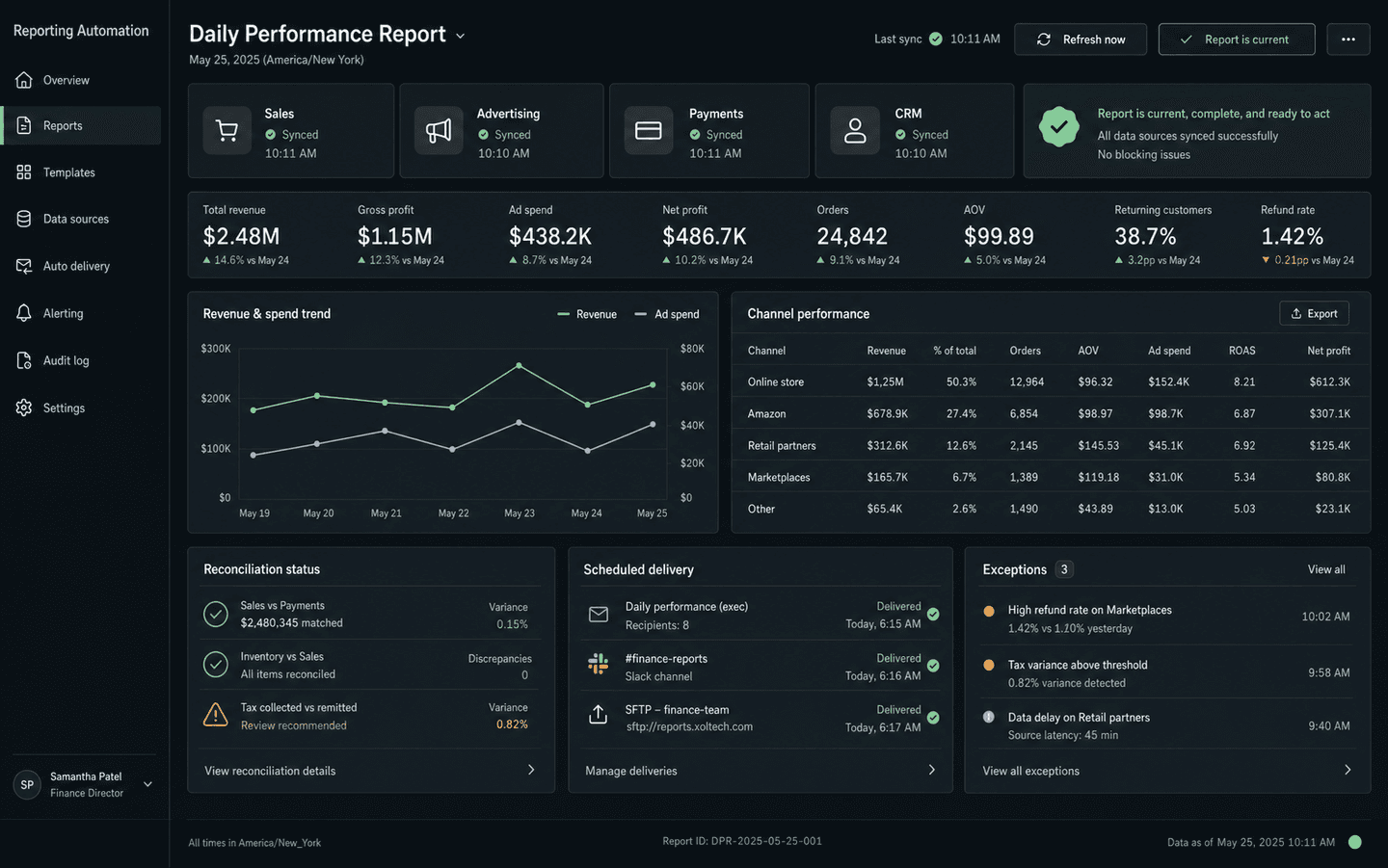
Common use cases
02 — Relevant work
From multi-platform data pipelines to WhatsApp support consoles — automation we've shipped and verified.
Sales, ads, and payment data from six platforms, unified into one reporting layer.
Outcome
Running in production for analytics teams.
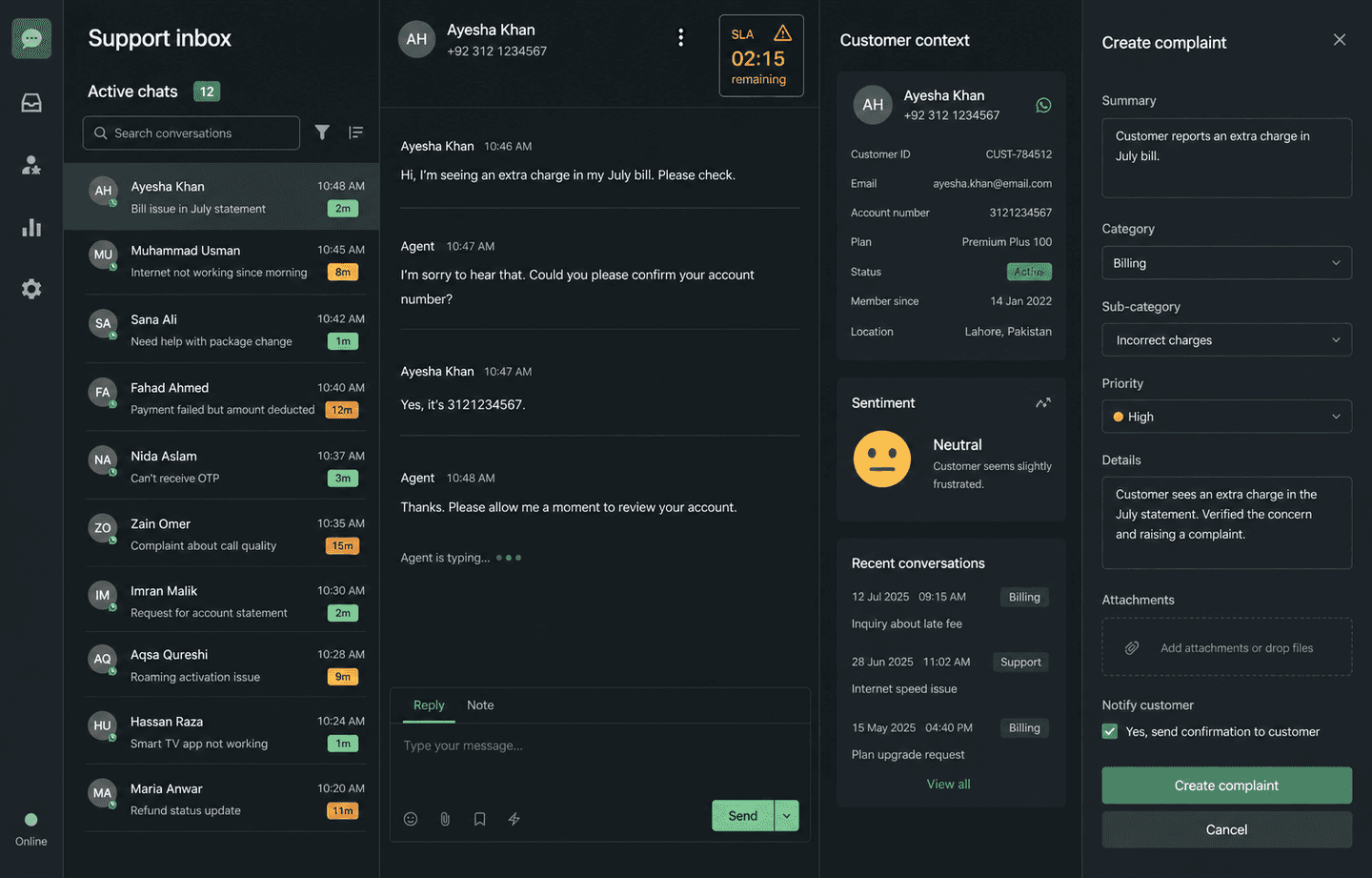
A WhatsApp-based support console that turns live chats into tracked complaint tickets automatically.
Outcome
Built and running as a working support console.
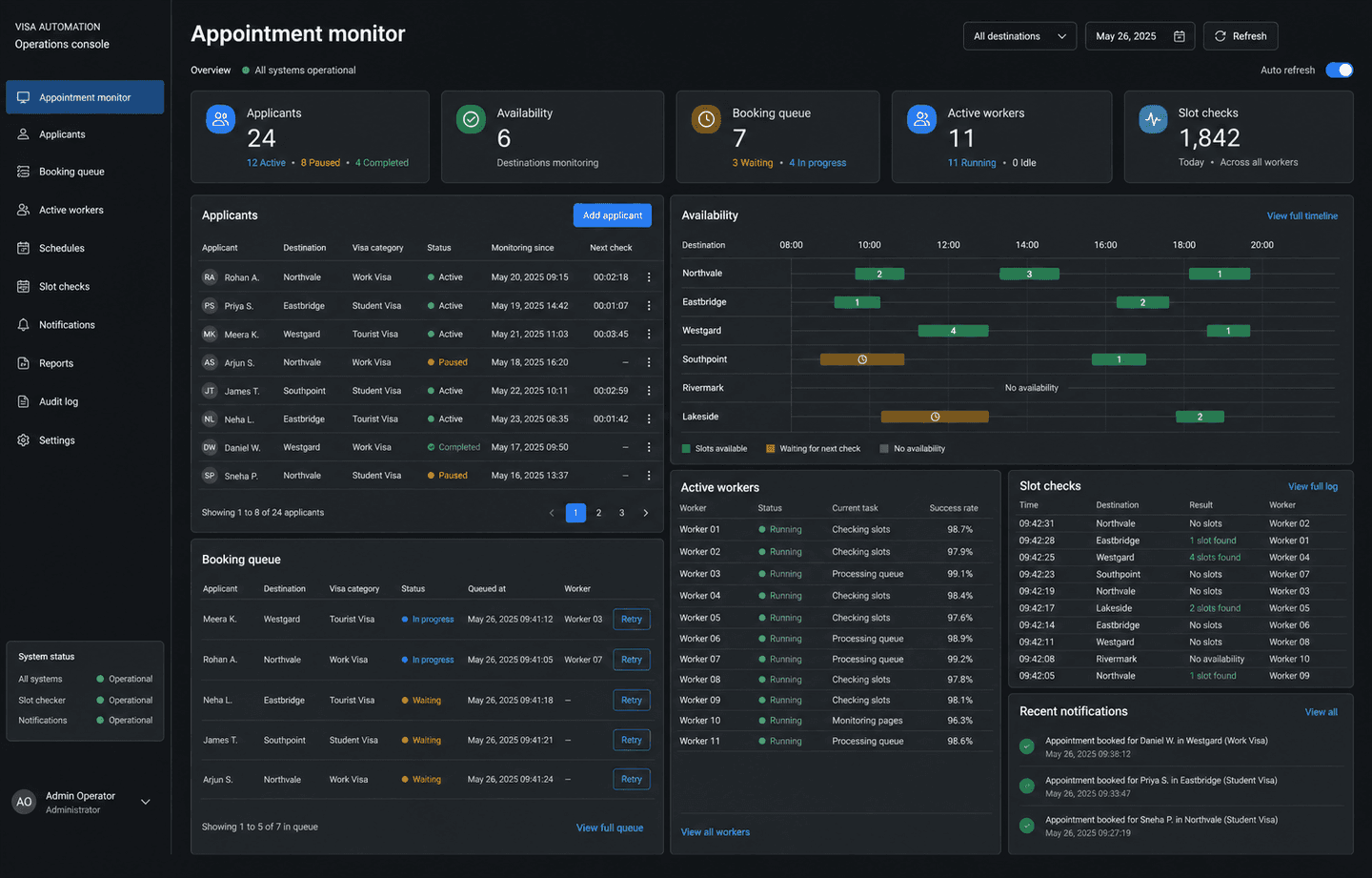
Automated appointment booking on VFS Global, handling multiple applicants concurrently.
Outcome
Open-source; 18 stars on GitHub.
03 — Questions
Daily management reports, lead and payment follow-ups, data sync between your tools, WhatsApp-triggered workflows, invoice generation, and approval reminders are the most common starting points.
No. Most automation connects your current tools — Shopify, Google Sheets, accounting software, WhatsApp — without replacing anything. We add the glue between them.
Yes. WhatsApp-based automation is one of the most common requests from Pakistani businesses — from lead follow-ups to payment reminders and support ticket creation.
A focused workflow automation — like a daily sales report or a payment follow-up sequence — usually ships within 2–4 weeks. You receive a written timeline before build begins.
04 — Before you commit
01
Source access, company data, repositories, exports, and handover terms are settled before development starts.
02
Deliverables, milestones, responsibilities, dependencies, cost, and timeline are documented before the build.
03
The people using the system get practical walkthroughs, clear roles, and support during adoption.
04
The post-launch support path is agreed before release, including fixes, monitoring, and planned improvements.
05 — Start with clarity
A sensible first engagement
Before committing to a large build, map the current process, users, data, integrations, risks, and the first release worth shipping.
Discuss a business process reviewWhat gets defined
Describe it in one WhatsApp message or voice note—in English or Urdu. We'll tell you honestly if software can fix it.
No technical brief needed. Start with the business problem.
